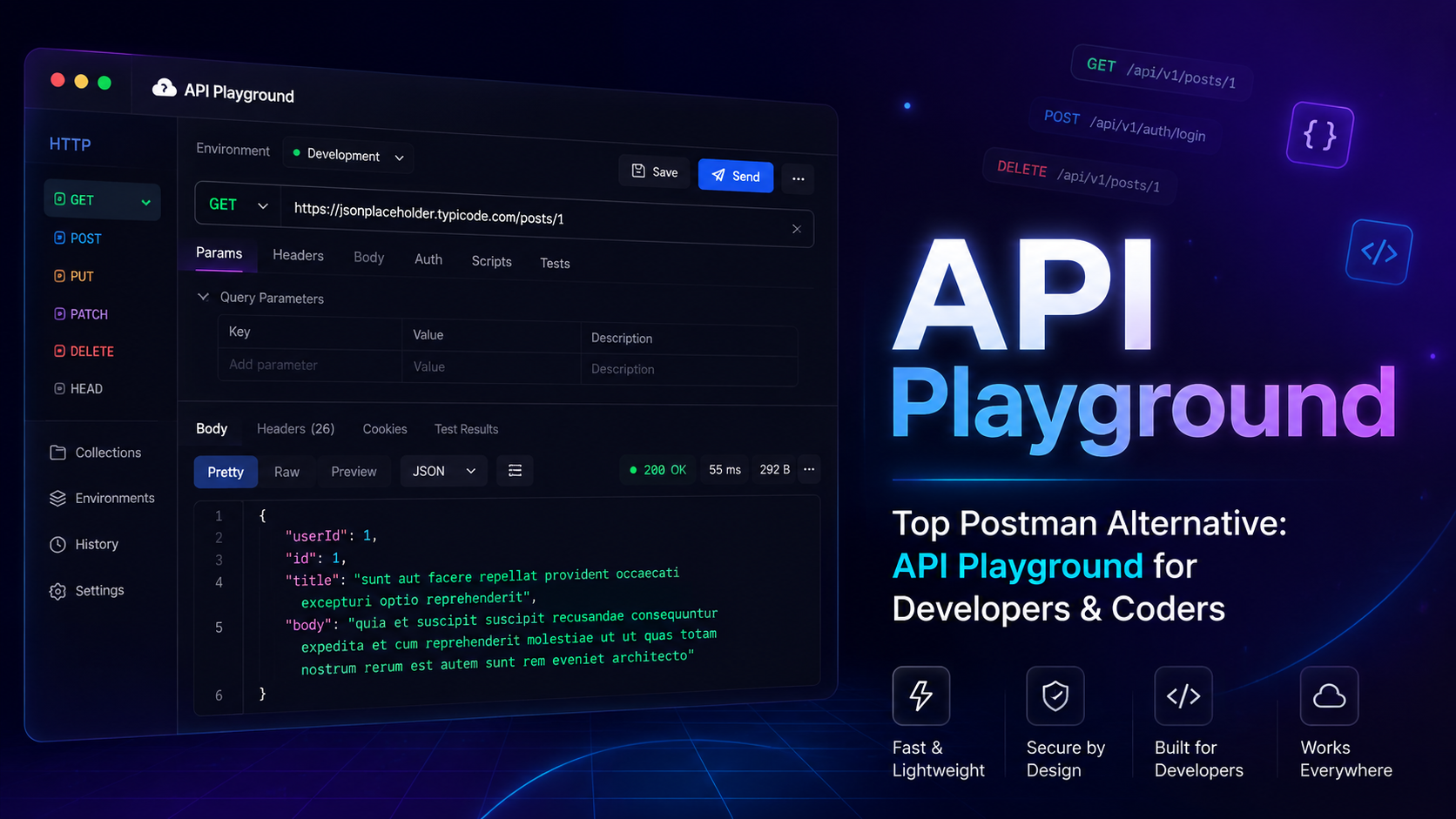
What it does
API Playground lets you paste an endpoint URL or pick one of 17 ready-to-run request presets for AI, media and automation APIs. You choose an HTTP method, add an API key, Bearer token or Basic authentication, add custom headers, and prepare a JSON, form data, text or binary body. After you send the request, the tool shows the status code, response headers, body, latency and size together. Formatted JSON, raw and preview modes help you read different response types. Requests pass through the API Playground proxy so browser cross-origin restrictions do not block ordinary API testing.
Capabilities
- The 17 presets cover AI chat APIs (7), image generation APIs (3), video generation APIs (4) and audio and text-to-speech APIs (3).
- Streaming mode supports server-sent events, NDJSON and chunked responses.
- Webhook testing sends payloads to Make.com, Zapier, n8n or any webhook URL and shows the status, headers and body the receiver returns.
- Agent Mode lets an AI agent read your current request, diagnose failed responses and prepare an apply-ready fix.
- Request history is saved in your browser's local storage, and credentials are stripped from saved copies.
When to use it
- You want to turn API documentation into a real request before committing to an SDK or integration design.
- You need to reproduce a call outside your application to separate an upstream API problem from a bug in your own code.
- You want to send representative events to Make, Zapier, n8n or a custom webhook before activating a workflow.
