What it does
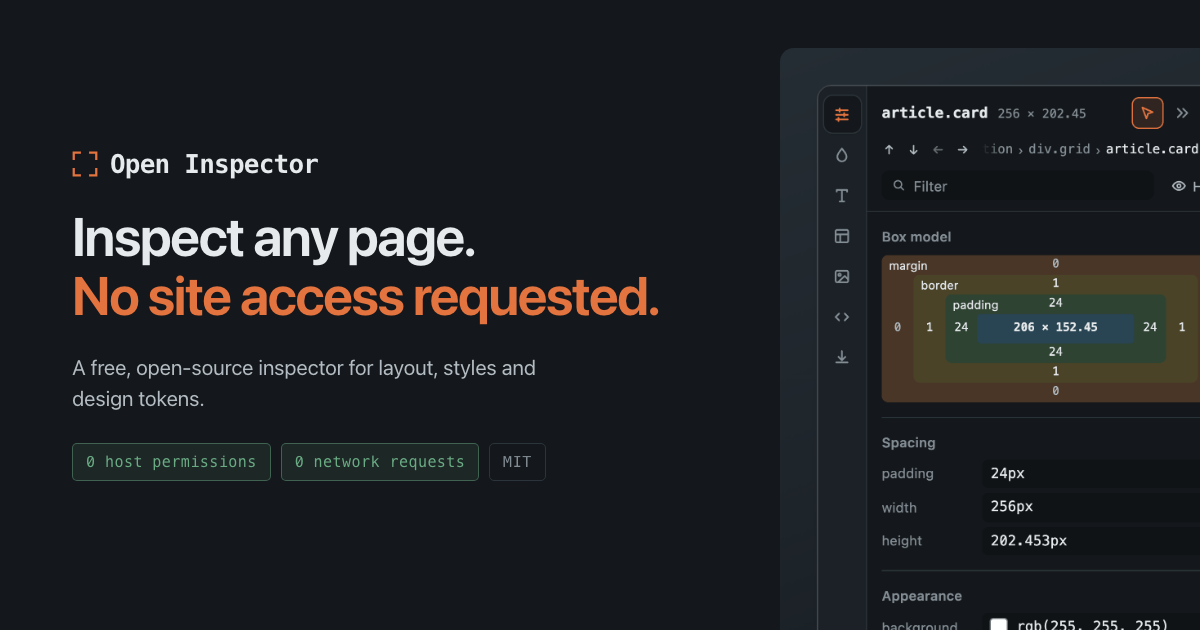
Open Inspector works in Chrome, Edge, Brave, Arc, Opera, Vivaldi and any other Chromium browser. You start it from the toolbar button or with Alt Shift I. That action grants access to that one tab. Hover to read an element, click to hold it, and use the arrow keys to walk the element tree. Values are editable, and every change is listed with its previous value. Seven panels cover Styles, Color, Type, Layout, Assets, Markup and Export. The Export panel writes the page's design system as CSS custom properties, SCSS, Tailwind, JSON, W3C design tokens or a Markdown handoff for Cursor or Claude. Closing the inspector reverts every edit and removes the style attribute it created.
Capabilities
- The Layout panel shows grid and flex structure in both directions, infers the spacing scale and names outliers, and lists the breakpoints affecting the selected element.
- The Color panel gives live WCAG AA/AAA grading with the nearest passing colour, audits every failing sample on the page, and includes a screen eyedropper.
- The Type panel reports the font that actually rendered, measured on a canvas, and detects modular scales with conformance.
- The Assets panel shows thumbnails, the srcset candidate the browser chose and inline SVG lifted out as standalone markup. You can save one file or copy every URL.
- The Markup panel outputs HTML or JSX with hydration ids, framework attributes, scripts and script-set inline styles removed.
When to use it
- Use it when you need a page's design system in a format the next step requires, including one written for a coding assistant.
- Use it when you want to inspect a page without granting an extension access to all websites.
- Use it when you need to know how a page is built, such as its spacing scale, type scale, palette and breakpoints, rather than what one element computes to.
