What it does
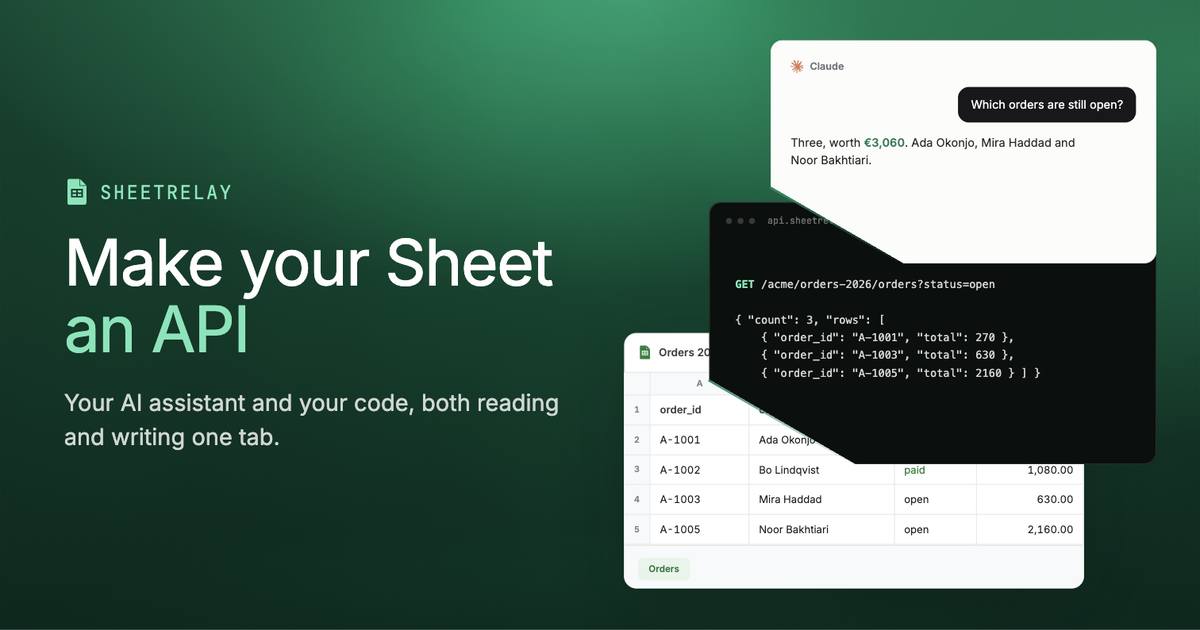
SheetRelay turns a Google Sheet into an API and an MCP server. The user connects a spreadsheet once by picking the file with Google or sharing it with an address that SheetRelay shows. The user then reviews what is exposed and corrects column types. Going live produces an address, a key and setup snippets for Claude, ChatGPT and curl. Claude, ChatGPT and Cursor connect over MCP. Code calls one address per tab with an ordinary HTTP request, such as GET /acme/orders-2026/orders?status=open. The data stays in Google Sheets, and rows are read from the sheet when a call asks for them. An agent can also create the spreadsheet in the user's own Google Drive when none exists yet.
Capabilities
- Read, add, change and delete are four separate switches on every tab, and new tabs start read-only.
- SheetRelay can mask a column so that it is removed from every response and from the description an assistant reads.
- Each app can have its own revocable key, and on Pro and Team a key can be narrowed to specific tabs, columns and rows.
- Logs show what was called, by which key, and why anything was refused, and refused calls do not count against the allowance.
- Callable functions turn the input and output cells of an existing spreadsheet calculator into a function with named arguments, and the original values are restored afterwards.
When to use it
- You want a blog, an admin screen, a menu or an invitation backed by rows in a Google Sheet.
- You want an AI assistant such as Claude or ChatGPT to read and update rows in conversation.
- You want an automation tool such as Zapier, Make or n8n to read and write a Google Sheet.
